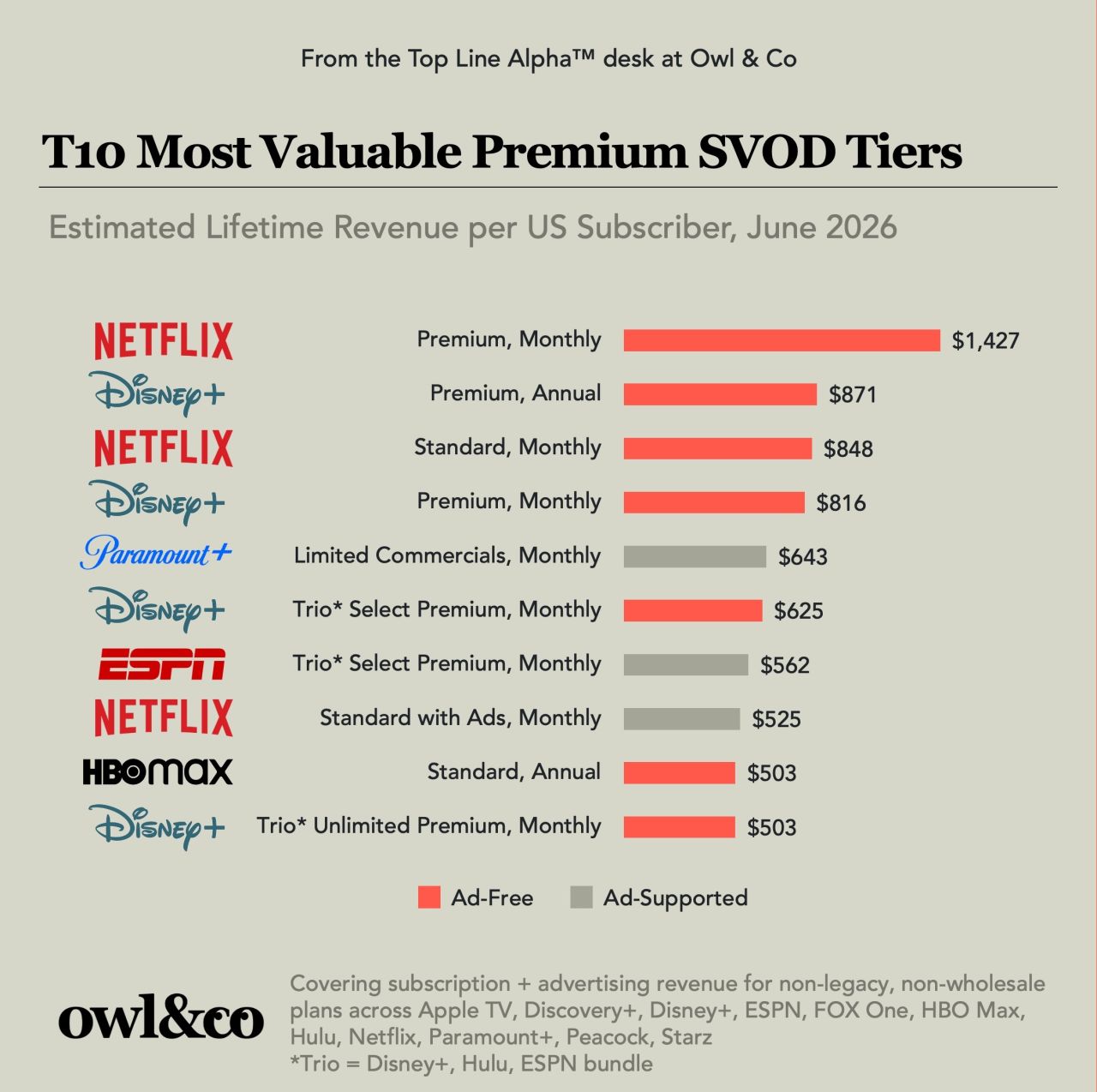
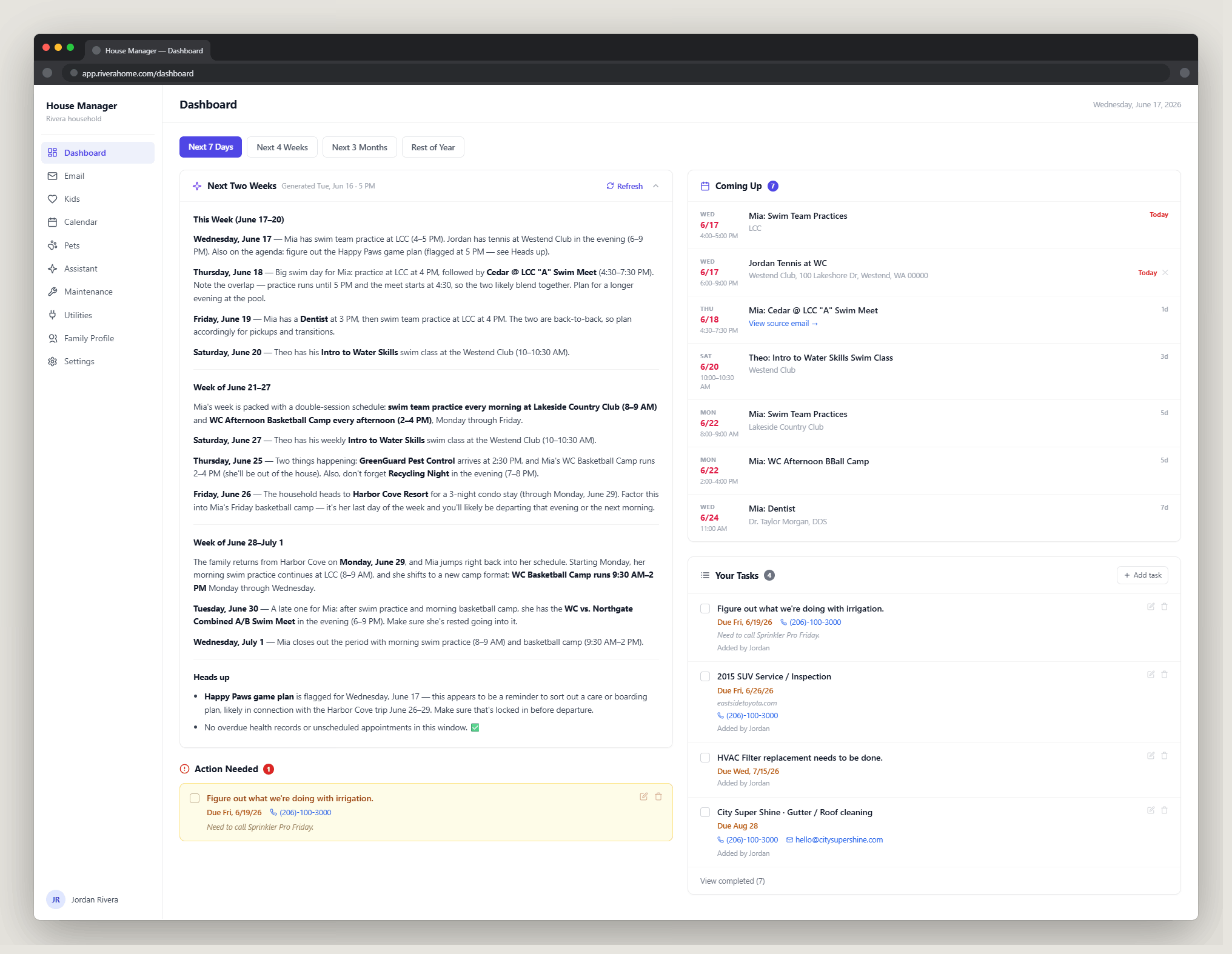
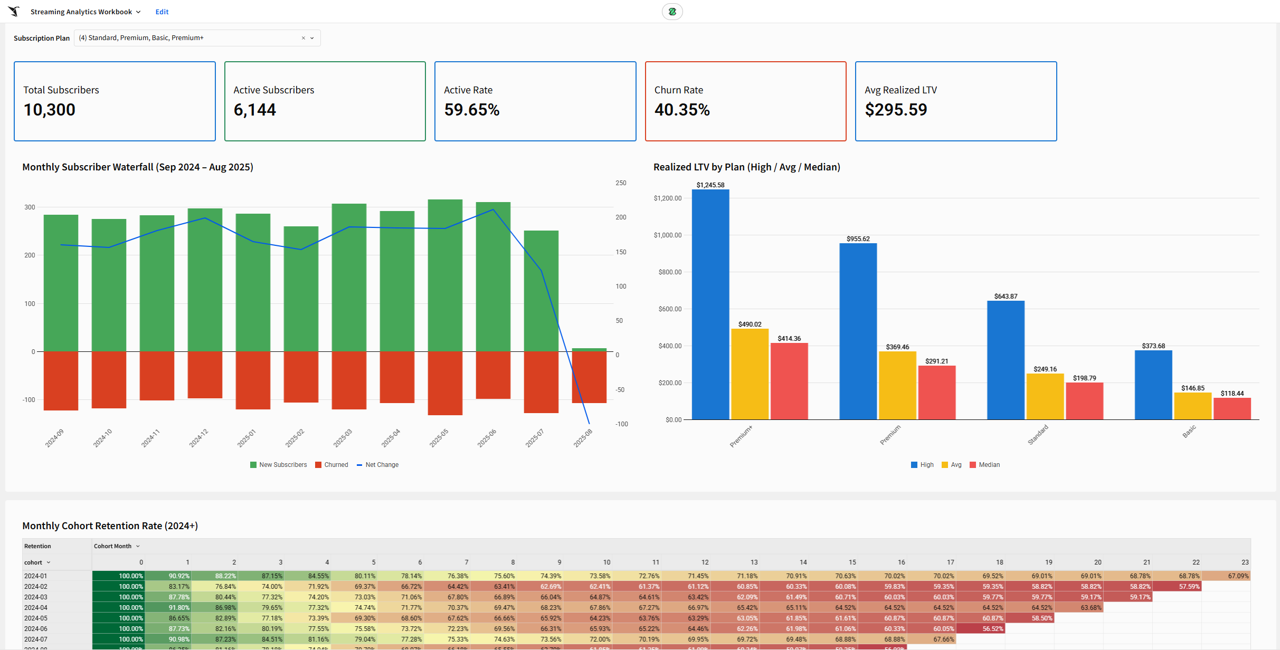
Built in partnership with Owl & Co (Hernan Lopez, ex-Wondery/Fox/NatGeo) to determine what a streaming subscriber is worth once you combine subscription payments with ad revenue monetization.
The model covers every major US streaming service (Netflix, Disney+, HBO Max, Hulu, ESPN, Peacock, Paramount+, and more), at the grain of individual plan, distributor, and billing cadence.
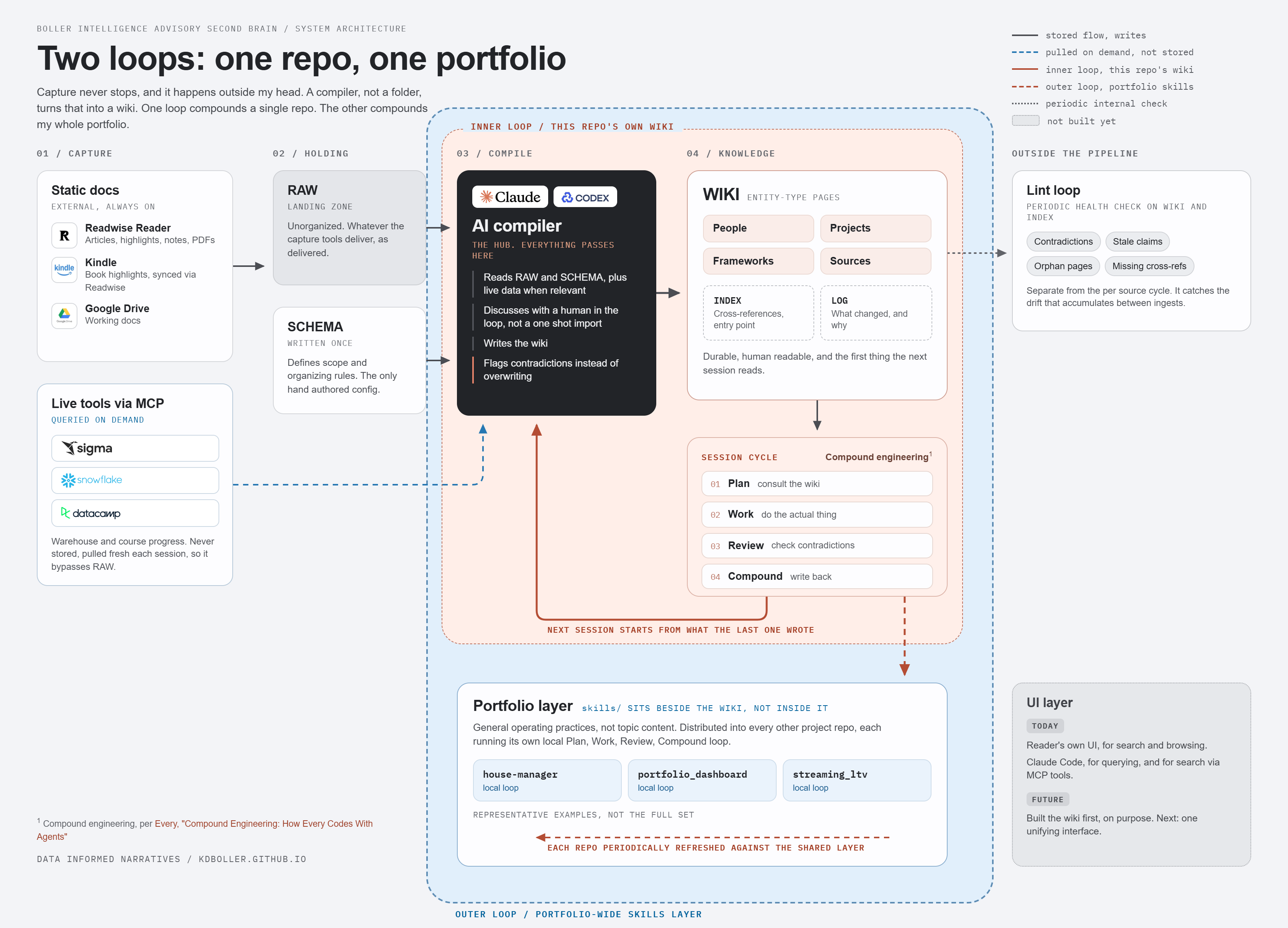
Tech stack: Snowflake (warehouse, SQL transform layer), Sigma (semantic layer, editable write-back input tables, dashboards), Claude Code and Codex / MCP tooling (AI-assisted data modeling, SQL, and Sigma workbook builds), HTML/JS for client-facing dashboard prototyping.
Key technical work:
- Multi-faceted join topology: Antenna-measured distributors (subscriber, churn, and pricing data) joined with wholesale partners (Comcast, Charter, Verizon), where wholesale volume is modeled through expert input and industry research
- Blended LTV/ARPU formula combining subscriber data and advertising revenue per subscriber, allocated across sports and entertainment inventory
- Sigma write-back tables allowing dynamic model drivers so that updates cascade downstream into workbooks built on elements from the Sigma data model
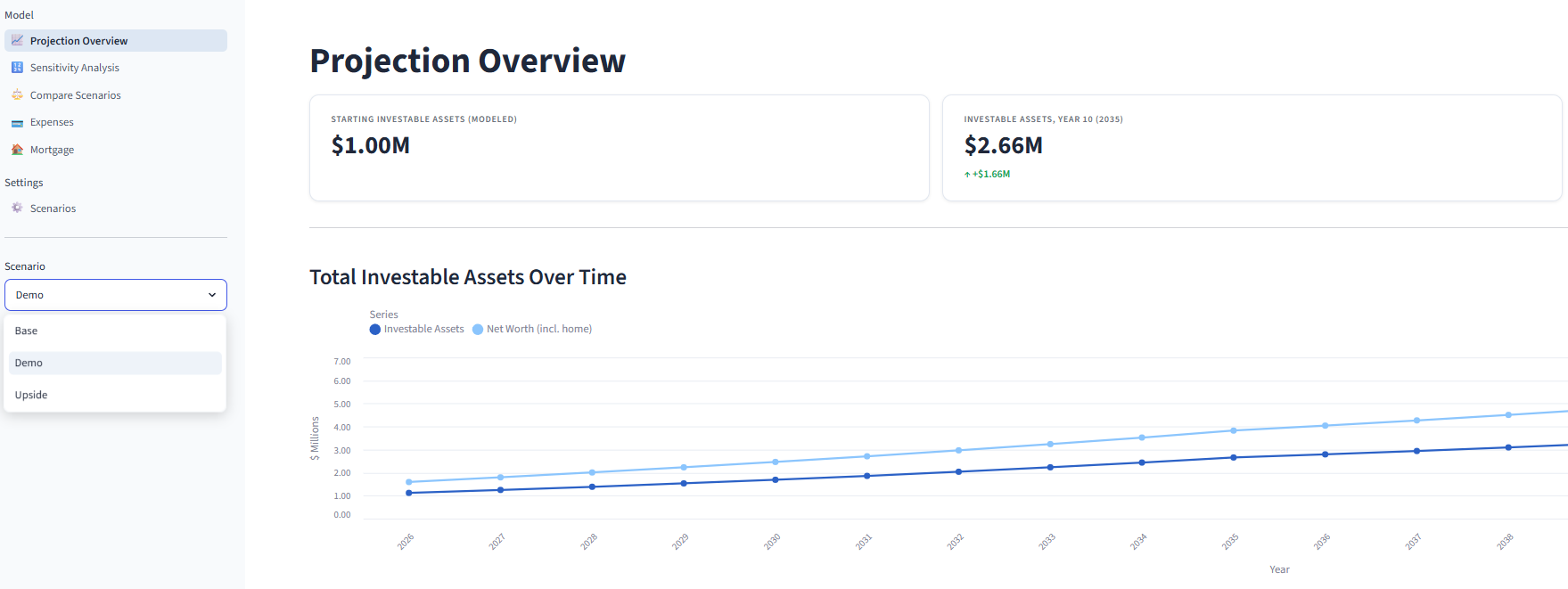
- External dashboard prototyped in HTML first (faster iteration than building native BI charts), then ported into Sigma
- Deep incorporation of Claude Code and Codex with direct Sigma/Snowflake MCP connections: querying, verifying, and building production data model changes through natural language
- Stable-name materialized view built on top of Sigma’s own materialized snapshot of the model: cut dashboard query latency to 1-2 second cache hits, and gave outside tools governed access independent of Sigma’s unstable internal table names
- Two custom agent skills,
streaming-ltv-audit and streaming-ltv-insights, codify the project’s methodology (formula rebuild from raw columns, quality gates, a golden-case regression test), so any AI agent working the model, whether Claude Code or Codex, follows the same rules instead of re-deriving them each session
Why now, the Third Age of Streaming: Hernan Lopez’s research at Owl & Co frames streaming’s evolution in three phases: a first age (pre-2022) that was “all about growing subs,” a second age (2023-2025) that pivoted to profitability with less focus on volume, and a third age (2026+) defined by enterprise value creation through platforming, ingestion, strategic bundling, and game theory. That third age turns LTV into a multi-variate optimization problem rather than a single number:
- Are you close to ARPU parity across ad-free and ad-supported subs (like Peacock), or not yet (like Netflix)?
- How much of your potential revenue are you prepared to share with a distributor, and do you care whether it’s booked gross or net?
- How many of your subs are long-tenured or included in bundles, and therefore less likely to churn?
- What’s the potential for cannibalization?
- Do you want to be a platform or a service, and if a platform, how will you compete for both subscribers and services?
- How are all of these variables impacted by what your competitors do?
StreamingLTV is built to hold all of those variables at once, at the grain of plan, distributor, and billing cadence, rather than collapsing them into a single blended average.
Business impact: Unlocks the “Third Age of Streaming” analysis and LTV publications in Owl & Co’s public Streamonomics newsletter, and is the foundation for an externally facing product targeted to launch in Q4 2026.